Earn your contact hours, at no cost to you
Your facility provides MyERS CE so you can stay current and meet license renewal requirements on your schedule. Sign in to pick up where you left off, or create your account in a few minutes.
Already have an account?
Create your account
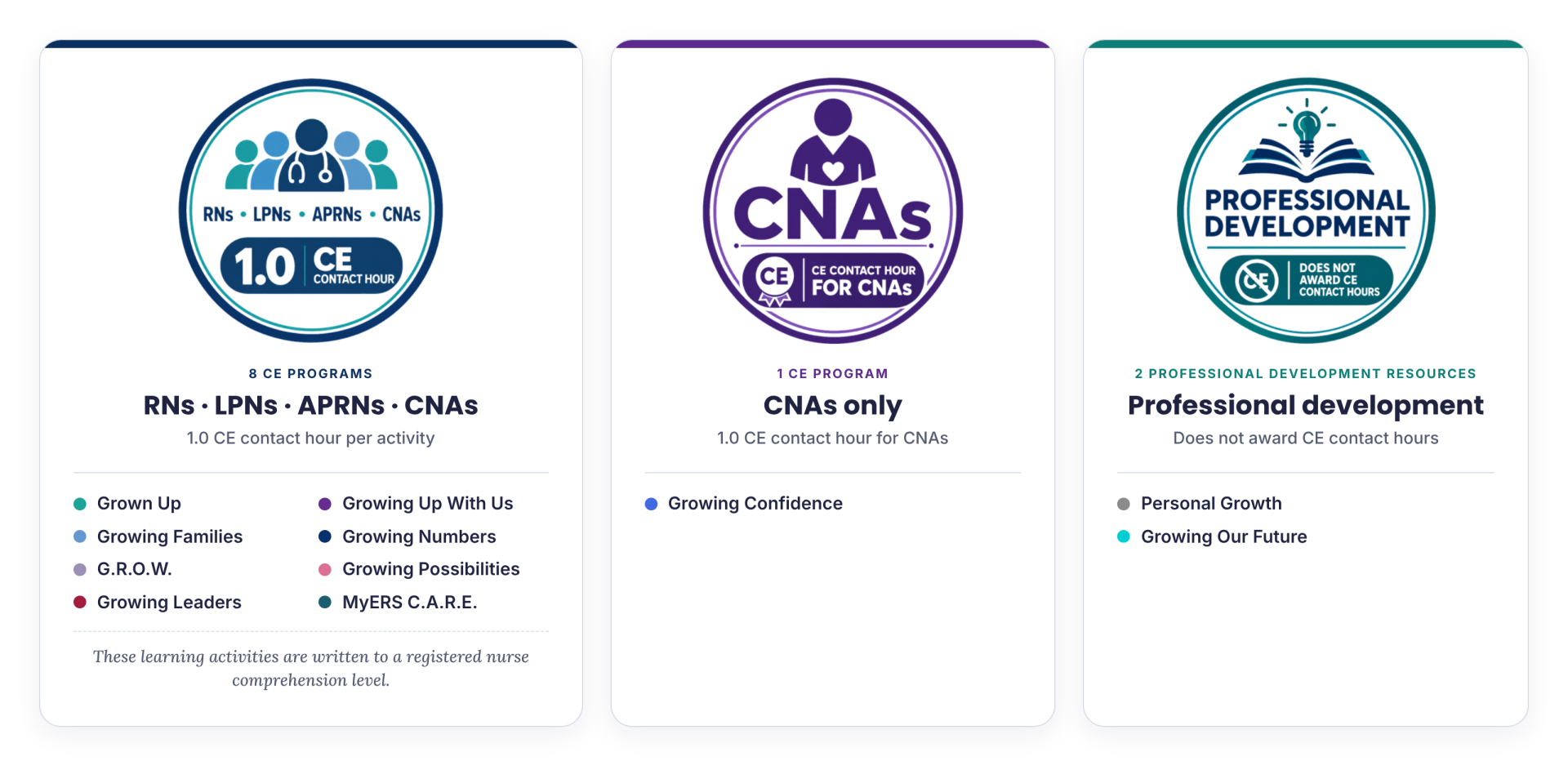
Who's Eligible to Earn CE Credits?
No cost to you
Your facility covers it. There's nothing to buy and no card to enter.
Open 24/7
Complete activities whenever it suits you, on shift breaks or at home.
Any device
Phone, tablet or computer. Your progress saves as you go.
View 2027 content schedule →
Approved CE Provider
since 1995
Provider #50-4366
Getting Started
How to Earn CE Contact Hours
Choose Your CE Activity
Select the "Continue" button under the CE activity you wish to complete.
Read the Informative Activity
Read all information provided in the learning module. Some learning modules contain interactive components.
Complete Assessment
Answer 9 out of 10 questions correctly to earn one (1.0) CE contact hour.
Obtain Certificate of Completion
Upon successful completion of the assessment, you can access the certificate link to claim your earned certificate.
Navigating the Learning Module Menu
- Return to account link | Select to return to your account dashboard at anytime.
- Completion status bar | 0% to begin. 50% when learning module is completed. 100% when learning module is completed and certificate is obtained.
- Learning module link | Select to access the learning module.
- Certificate of completion link | Only accessible after successfully completing the competency assessment embedded in the learning module. Upon successful completion, select this link to claim your certificate.
- PDF of CE activity | Select this icon to obtain a PDF copy of the CE activity. Copies of your completed CE activities, with learning objectives included, are sometimes requested by your state licensing board during license renewal. You can always revisit this module at a later date to obtain the PDF, if needed.
Write your awesome label here.
Write your awesome label here.
Your certificates, saved for you
Every certificate you earn stays in your account, so you can download it again whenever you need it.
- Open any completed activity and select the certificate to download it again.
- Download the activity PDF too. It includes the learning objectives your state board may ask to see.
- Your nurse educator can see your completions, so you don't need to turn in copies unless they ask.
About your Employer Code
The Employer Code connects your account to your facility, so you see the programs your facility licenses and your nurse educator can see your completions.
You only enter it once, when you create your account.
What it looks like
A short code from your facility, for example:
Where to get it
Ask your nurse educator, staff development office or CE coordinator. It may also be posted on your facility's intranet or in your orientation materials.
If it doesn't work
Check for extra spaces and make sure letters and numbers aren't mixed up (O and 0, I and 1). Still stuck? Contact us with your facility's name. We'll be happy to assist.
Quick help
I forgot my password.
Select Sign in, then Forgot your password. We'll email you a reset link. Check your spam or junk folder if it doesn't arrive in a few minutes.
I didn't get my verification email.
Check your spam or junk folder and search for "@myerscomplete" Work email filters sometimes hold messages, so a personal email address can be easier. Still nothing? Contact us.
My Employer Code isn't working.
Check for extra spaces and make sure letters and numbers aren't mixed up (O and 0, I and 1). Still stuck? Contact us with your facility's name.
Where are my certificates?
Login to your account and select Go to my profile on your dashboard. Every certificate you've earned stays in your account.
I'm changing jobs. What happens to my account?
Your account is connected to your facility's license. Download your certificates and activity PDFs before your last day. If your new facility uses MyERS, you'll sign up with their Employer Code.
Will my state board accept these contact hours?
MyERS has been a Florida Board of Nursing approved provider since 1995. All state boards that require CE for license renewal accept MyERS contact hours.
Questions? Feedback?
Contact us. We'd love to hear from you!
Thank you!